
Sales CRM software with a lead pipeline and follow-ups
SautiDesk gives your sales team a pipeline of leads beside your calls, WhatsApp and SMS. Each lead has a stage, a value, an owner and a next step, and the calls and messages you send from it stay on the lead. On SautiDesk Pro.
check_circleLeads are on SautiDesk Pro, KES 3,000 per person a month.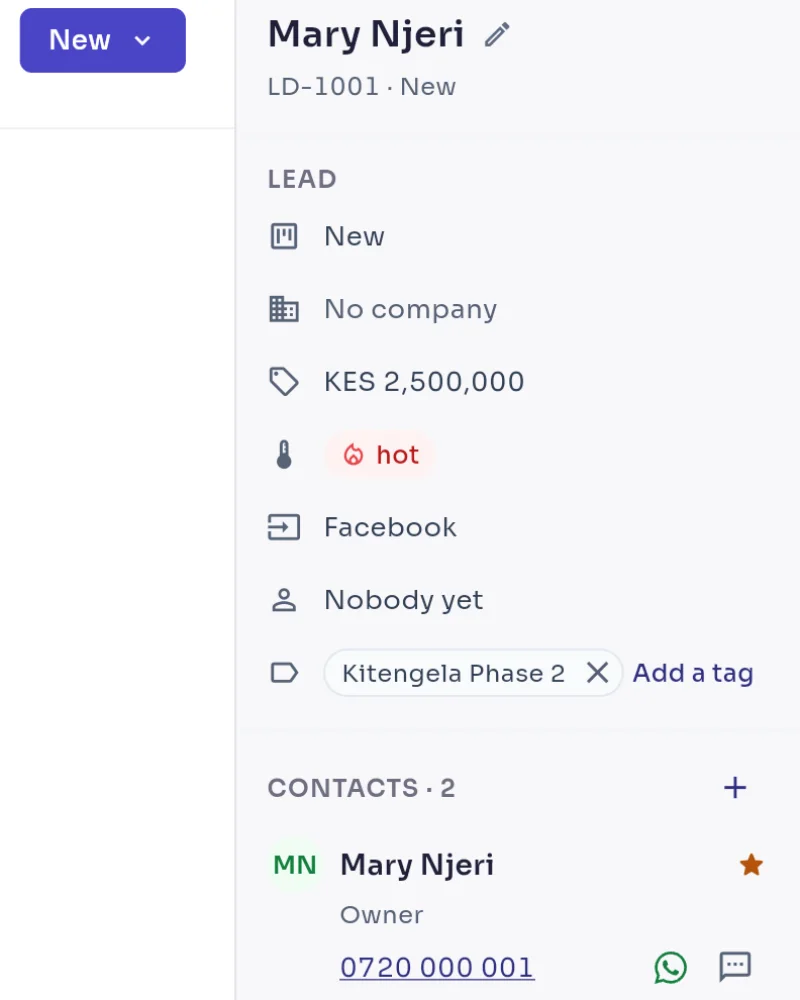

Pipeline, follow-ups and imports for a sales team
A pipeline you can see
Leads sit in a column for each stage, with the number of leads and their total value at the top. Switch to a list when you prefer one. You choose the stages, and a lead ends as Won or Lost.
Follow-ups that remind
Set a follow-up for a time. Its owner is reminded before it is due, when it is due and if it goes overdue, and supervisors are told if it stays overdue. You can require a next step on every lead.
Calls and messages stay on the lead
A call or message sent from a lead is recorded on that lead, not on a support ticket. Notes and the activities you log go there too.
Leads from tickets, files and channels
Press Create lead on a customer’s ticket or contact, or import a CSV file of up to 500 rows. You can also let new conversations on a channel you pick open a lead.
How to start selling in SautiDesk
- Step 1
Turn on Sales and name your stages
On SautiDesk Pro, switch Sales on in Settings. Set your stages, lead sources, tags and the reasons a deal can be lost.
- Step 2
Add your leads
Create them from tickets and contacts, import a CSV file, or let a channel open a lead for each new conversation.
- Step 3
Work the pipeline
Move leads through the stages, log calls and notes, and set the next follow-up. The reports show what was won and lost, which leads have sat in a stage too long and which follow-ups are overdue.
Sales CRM questions
SautiDesk Pro, at KES 3,000 per person a month. Calling campaigns, reports and the live floor view are part of Pro too.
A name, a stage, a value in shillings, a hot, warm or cold temperature, a source, an owner, tags and a company. One or more people from your contacts are attached to it. Moving a lead to Lost asks why.
Yes. Press Create lead on their ticket or contact. A contact has one open lead at a time.
Yes. In Settings, Sales, Channels, switch on “New conversations on WhatsApp open a lead” and choose a source. Each new ad chat then opens a lead with an owner and a next step.
Yes. Choose Add lead, then Import, and pick a CSV file of up to 500 rows. SautiDesk finds each person by phone number or makes a contact, then opens a lead. From Excel, save the sheet as CSV first.
The person the follow-up is assigned to, or the lead’s owner if it has no assignee. Supervisors are told when a follow-up stays overdue for the number of hours you set.
Yes. Calling campaigns dial a list for you in pre-recorded, progressive or predictive mode, and they are on SautiDesk Pro too.
SautiDesk Pro is KES 3,000 per person a month. Each phone number is KES 500 a month, incoming calls are free and outgoing calls are KES 0.05 a second from your prepaid balance.
Related guides
Answer every customer from one inbox, from KES 1,000 per person a month.
Incoming calls are free. Outgoing calls are KES 0.05 a second, paid from a balance you top up by M-Pesa or card.